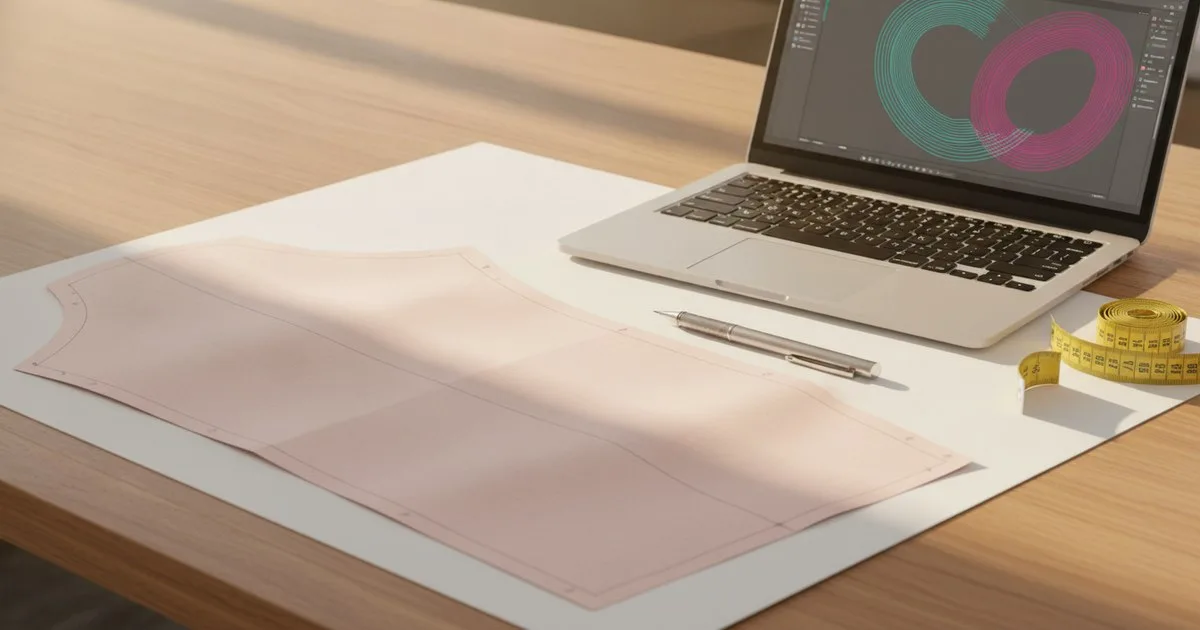
If your studio can't justify a five-figure CAD licence, Seamly2D gives you a fully parametric pattern drafting environment at no cost. It runs on Windows, Mac, and Linux, exports to PDF and SVG, and handles the core tasks a technical designer needs: drawing blocks, applying measurements, grading across sizes, and handing off cut-ready files. This overview walks through how it works, what it produces, and where its limits sit so you can decide whether it belongs in your workflow.
Key takeaways
- Seamly2D is a free, open-source parametric CAD tool for 2D garment pattern drafting, available on all major desktop operating systems.
- Patterns are built from measurement variables, so changing one value — say, a waist measurement — ripples through the entire block automatically.
- It exports to PDF and SVG, which are printable and plotter-compatible, but it does not natively produce DXF or generate a tech pack.
- For studios that need a tech pack alongside their patterns, the pattern file and a separately built spec sheet must travel together to the factory.
- It is a strong fit for independent technical designers and small production teams; larger operations with complex marker-making or PLM integration needs will hit its ceiling quickly.
What is Seamly2D and who built it?
Seamly2D is an open-source application for drawing parametric garment patterns on a computer. It descends from the Valentina project and is maintained by a community of contributors. The software is free to download and use; there is no subscription, no seat licence, and no vendor lock-in on the file format.
The key word in its description is parametric. In a conventional pattern, measurements are baked in as fixed numbers. In Seamly2D, you define a measurement set — a named list of body measurements or ease values — and the pattern is built as a set of geometric relationships that reference those names. When you update the measurement file, the pattern updates with it. That single mechanism is what makes the tool genuinely useful for production rather than just hobbyist drafting.
How does parametric drafting work in practice?
Measurement files and variables
Before you draw anything, you create or import a measurement file (.vst for individual measurements, .vit for multi-size tables). Each row is a named variable — chest_circumference, waist_circumference, back_length, and so on. You can define your own names and add formula-driven variables (for example, ease_chest = chest_circumference + 4).
Seamly2D ships with several standard measurement sets based on published sizing systems, and you can build your own from scratch to match your brand's fit model or a specific customer's measurements.
Drawing the block
Patterns are drawn using a sequence of points, lines, curves, and arcs. Each element is defined relative to others using the measurement variables you've set up. A typical bodice back block might read:
- Place point A at the origin.
- Place point B at a distance of
back_lengthbelow A. - Place point C at a distance of
(chest_circumference / 4) + ease_chestto the right of B. - Draw the side seam as a straight line from B to C.
- Draw the armhole as a curve from a point calculated from
armhole_depthandshoulder_width.
Every step is recorded in the sequence panel on the left. You can go back, change a formula, and the geometry redraws. This is the same principle used in professional CAD tools — the difference is that Seamly2D is free and the learning curve is steeper because the interface is less polished.
Grading
Seamly2D handles grading through its multi-size measurement table. You define measurement values for each size (XS through XXL, or whatever your size range is), and the software can draw all sizes simultaneously as a nested grade. This is not the same as the automated grading engines in enterprise CAD, which apply grading rules at the notch level, but for studios working with a limited size range it is workable.
What does Seamly2D export?
The two native export formats are PDF and SVG.
- PDF is the most practical for sending to a plotter or a local print shop. You can tile across A4 or letter sheets for home printing, or export at full scale for a wide-format plotter.
- SVG is a vector format that opens in Inkscape, Adobe Illustrator, or any SVG-capable tool. From SVG you can do further clean-up, add seam allowances manually if needed, or prepare artwork for digital cutting.
Neither format is DXF, which is the standard interchange format for professional pattern CAD and most cutting room systems. If your factory or CMT partner requires DXF, you will need to convert — Inkscape can export DXF from SVG with some fidelity loss, but it is not a clean round-trip. This is one of the clearest practical limits of the tool for production handover.
Where does the tech pack fit?
Seamly2D produces patterns, not tech packs. A tech pack is the full document a brand sends to a manufacturer: construction details, BOM, colourways, trim specifications, graded measurement charts, and quality checkpoints — not just the pattern geometry.
For a Seamly2D workflow, the pattern file (exported as PDF or SVG) becomes one attachment in your tech pack, alongside a spec sheet you build separately in a spreadsheet or a dedicated tech pack tool. The two documents must be versioned together. A common failure mode is sending an updated pattern to a factory without updating the corresponding spec sheet — the factory then works from contradictory information.
A practical approach:
- Assign a version number to every Seamly2D
.sm2dfile and every exported PDF. Use the same version number on the spec sheet. - When you revise the block, export a new PDF, increment the version, and update the spec sheet in the same commit.
- Note the change in a revision log at the front of the tech pack — even a simple table with date, version, and what changed is enough.
For a fuller picture of what a complete tech pack should contain, the guide at White Label Manufacturing is a useful reference for the document structure a factory expects.
What can go wrong?
Formula errors that propagate silently
Because the pattern is a chain of geometric dependencies, a mistake in one formula — a wrong variable name, a missing parenthesis — can shift every downstream point. Seamly2D will often draw something rather than throwing an error, so the result looks plausible but is wrong. Always check your block against a physical toile or a known-good measurement before sending to production.
Seam allowances
Seamly2D can add seam allowances, but the workflow is manual and requires care at corners and curves. If your factory expects net patterns (no seam allowance) or gross patterns (seam allowance included), confirm which convention they use before you export. Sending gross patterns to a factory that cuts to net is a costly mistake.
File compatibility
The .sm2d file format is specific to Seamly2D. If a collaborator uses a different CAD tool, you will need to exchange PDF or SVG rather than the native file. Keep the source .sm2d file in version control (Git works fine for text-based files) so you can always regenerate an export.
No built-in marker making
Seamly2D does not include a nesting or marker-making module. For a small run you can arrange pieces manually in a PDF editor, but for anything where fabric utilisation matters you will need a separate tool or a CMT partner who handles nesting.
How does Seamly2D compare to paid CAD options?
The honest answer is that the comparison depends entirely on what you need from the software. The table below covers the dimensions that matter most for a small production team.
| Seamly2D | Enterprise pattern CAD | |
|---|---|---|
| Cost | Free | Licence + annual maintenance |
| Platforms | Windows, Mac, Linux | Usually Windows-only or Windows-primary |
| Parametric drafting | Yes | Yes |
| DXF export | No (SVG/PDF only) | Yes |
| Grading | Multi-size measurement table | Rule-based automated grading |
| Marker making | No | Usually included or available as add-on |
| Tech pack integration | None | Often PLM-connected |
| Best for | Independent TDs, small studios, education | Mid-to-large production operations |
| Limits | No DXF, no nesting, steeper learning curve | Cost, Windows dependency, vendor lock-in |
Enterprise CAD tools — including Gerber AccuMark, now part of Lectra — offer DXF output, automated grading rules, and marker-making modules that connect directly to cutting room equipment. Those capabilities are genuinely valuable at scale, and they carry a price tag to match. For a studio producing small runs with a tight budget, Seamly2D covers the core drafting work without that overhead.
Who is Seamly2D actually for?
Based on what the tool does and doesn't do, it fits best in these situations:
- Independent technical designers who draft blocks for clients and deliver PDF pattern files, not DXF.
- Small brands and start-ups that are still iterating on fit and don't yet need a cutting room integration.
- Pattern drafting education — the parametric approach teaches the underlying geometry of garment construction in a way that fixed-measurement drafting doesn't.
- Studios in markets where enterprise CAD licences are cost-prohibitive and where CMT partners accept PDF patterns.
It is not the right tool if your factory requires DXF, if you're managing a size run that needs automated grading rules, or if you need marker-making software connected to a cutter.
Getting started: what you need and a first workflow
What you need before you open the software:
- A measurement set (your fit model's measurements, or a standard sizing table)
- A block draft you want to replicate — a flat sketch or a paper pattern to work from
- Basic familiarity with geometric construction (points, lines, curves, arcs)
First workflow:
- Download Seamly2D from the official site and install it on your machine.
- Create a new measurement file. Enter your fit model's measurements as named variables.
- Open a new pattern file and link it to your measurement file.
- Draft your first block — start with a simple rectangle to get comfortable with the point-and-formula interface before attempting a curved armhole.
- Add seam allowances where needed, using the seam allowance tool.
- Export to PDF at full scale. Print a test section and check against a tape measure before committing to a full plotter run.
- Version the
.sm2dfile and the PDF together, and attach the PDF to your spec sheet.
FAQ
Is Seamly2D suitable for professional production use? For studios that deliver PDF pattern files and work with CMT partners who accept them, yes. The parametric drafting is genuinely production-capable. The main gaps are DXF export and marker making, which matter for cutting room integration.
Can Seamly2D export DXF files? Not natively. It exports PDF and SVG. You can convert SVG to DXF via Inkscape, but the conversion is imperfect and should be checked against the original before sending to a factory.
How does Seamly2D handle grading? Through a multi-size measurement table. You enter measurement values for each size, and the software draws all sizes from the same parametric block. It is not the same as rule-based automated grading in enterprise CAD, but it works for limited size ranges.
Does Seamly2D produce a tech pack? No. It produces pattern files. A tech pack — with construction notes, BOM, trim specs, and a graded measurement chart — must be built separately and versioned alongside the pattern export.
What file format does Seamly2D use natively?
The native format is .sm2d, which is specific to Seamly2D. For collaboration with partners using other tools, exchange PDF or SVG exports.
Is Seamly2D still actively maintained? The project is community-maintained and open-source. The official site at seamly.io is the best place to check for current release status and community activity.