WORKSHOP
Build the tech pack that your factory actually reads
Step-by-step guides for fashion practitioners: tech packs, bills of materials, costing sheets and the small operational habits that stop a sample going wrong.
How the guides work
- 1
One outcome per guide
Every guide finishes with a specific artefact you did not have before — a completed tech pack, a costed BOM, a fit-comment sheet. Not a concept, a file.
- 2
Written from a real job
Each guide is built from an actual production run, with the numbers changed and the brand removed. The mistakes in them are mistakes that happened.
- 3
Downloadable at every step
Templates come as editable files at each stage, so you can join halfway if you already have part of it done.
Latest guides
View all articles →
What a Digital Product Passport Must Contain for a Denim SKU
A digital product passport for a denim SKU demands far more structured data than a standard tech pack. Here is what production teams need to gather, field by field, before the regulation lands.
Read →
Why Tolerance Stacking Causes Fit Failures After Grading
A garment that fits beautifully in your base size can fall apart at the size extremes — and tolerance stacking across grade points is usually why. Here is how the problem builds up and how to stop it before bulk.
Read →
How to Document Stitch Type and SPI in a Construction Spec
A clear construction spec saves rounds of sampling. This tutorial walks you through documenting ISO stitch classes, SPI, seam allowance and thread tension so a factory sewing room can set machines correctly on first receipt.
Read →
Landed Cost vs. FOB Cost: A Working Comparison for Production Teams
FOB and landed cost look like two versions of the same number, but they answer different questions. This guide breaks down each cost component and shows you which figure to reach for at every stage from initial quote to margin review.
Read →
How to Map a Sampling Milestone Calendar from Brief to SMS
A step-by-step guide for production planners running two or more seasons simultaneously: how to build a backward-planned milestone calendar from your salesman sample ship date all the way back to the creative brief.
Read →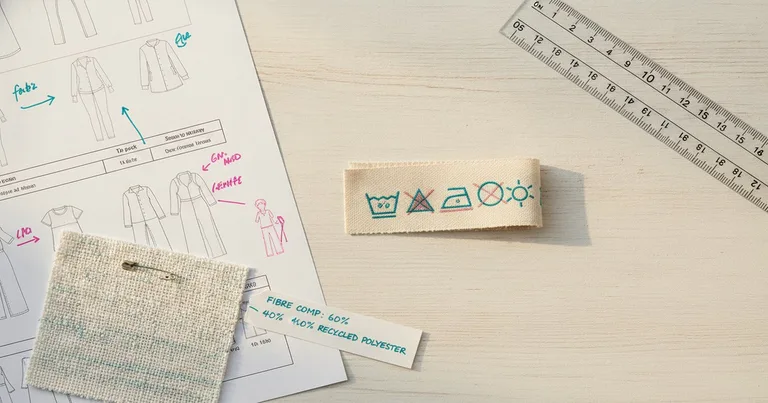
How to Write a Wash and Care Label Spec That Passes Compliance
A complete care label callout inside your tech pack eliminates factory queries and keeps you compliant across markets. Here is exactly how to build one, field by field.
Read →
How to Version-Control a Tech Pack Without a PLM System
No PLM? No problem. This step-by-step guide shows production coordinators how to set up file naming, a change-log tab, and approval gates to keep tech pack revisions under control inside a shared spreadsheet or PDF workflow.
Read →
Free resources
All resources →Tech pack QA agent — review every tech pack, BOM and costing in a folder
A drop-in agent for Claude Code (and the same procedure as a skill for Claude.ai, ChatGPT and Gemini) that walks a folder of tech-pack files — tech packs, BOMs and costing sheets as Markdown, CSV, text or PDF-as-text — reviews each against fixed checks (16 pre-production checks for tech packs, 8 BOM checks, 6 costing checks), writes one QA-<file.md report per file and a QA-SUMMARY.md across files, and never modifies a source file. Findings come back as page/section/row → problem → fix → severity; unreadable files are asked about, not guessed. Runs in Claude Code, Claude, ChatGPT and Gemini.
Get the kit →Tech pack reviewer — 16 checks before a tech pack leaves the studio
A skill that reviews a tech pack the way a factory's technical team reads it on day one: page by page through cover, flats and callouts, measurements and tolerances, materials, construction, labels and packaging, and approvals, against 16 pre-production checks. Findings come back as page/section → problem → fix → severity, then the ticked checklist, a verdict and the questions it could not answer from the pages. It also checks only the measurements, writes the revision request to the designer and drafts the sign-off summary. It never invents a value in a fix and never approves. Runs in Claude, ChatGPT, Gemini and Claude Code.
Get the kit →Costing assistant — build, stress-test and explain a garment costing
A skill that turns a bill of materials plus your factory CM quote, packaging, testing, freight, duty and overhead figures into a costing sheet in a fixed 9-column CSV, computes subtotals and landed cost with the arithmetic shown next to each line, runs sensitivities (fabric price, wastage, FX), compares two factory quotes, measures the gap to a target cost and writes the costing memo. It never estimates a missing price, rate or duty — the line says TBC, every total says what it excludes, and the question goes on a list. Runs in Claude, ChatGPT, Gemini and Claude Code.
Get the kit →
Common questions
Do I need CAD software to follow these?
No. Every guide has a no-CAD path using plain spreadsheets and the kits on the resources page (CSV templates plus the prompts that fill them). Where CAD makes something dramatically faster we say so and show both.
Are the templates free?
Yes, all of them, and you can use them commercially without attribution. Leave an email to get the file — that is the whole ask. We only ask that you do not resell the kits themselves.
What size operation are these written for?
Roughly 200 to 20,000 units per style. Below that some steps are overkill; above that you will have systems that supersede parts of this.
What we cover
About ATFT How-To
Practitioner tutorials: tech packs, BOM, costing, workflows, handover from design to production.
More about this publication →New articles by email
Everything ATFT How-To publishes, the moment it is out. Free, no product pitches, unsubscribe in one click.