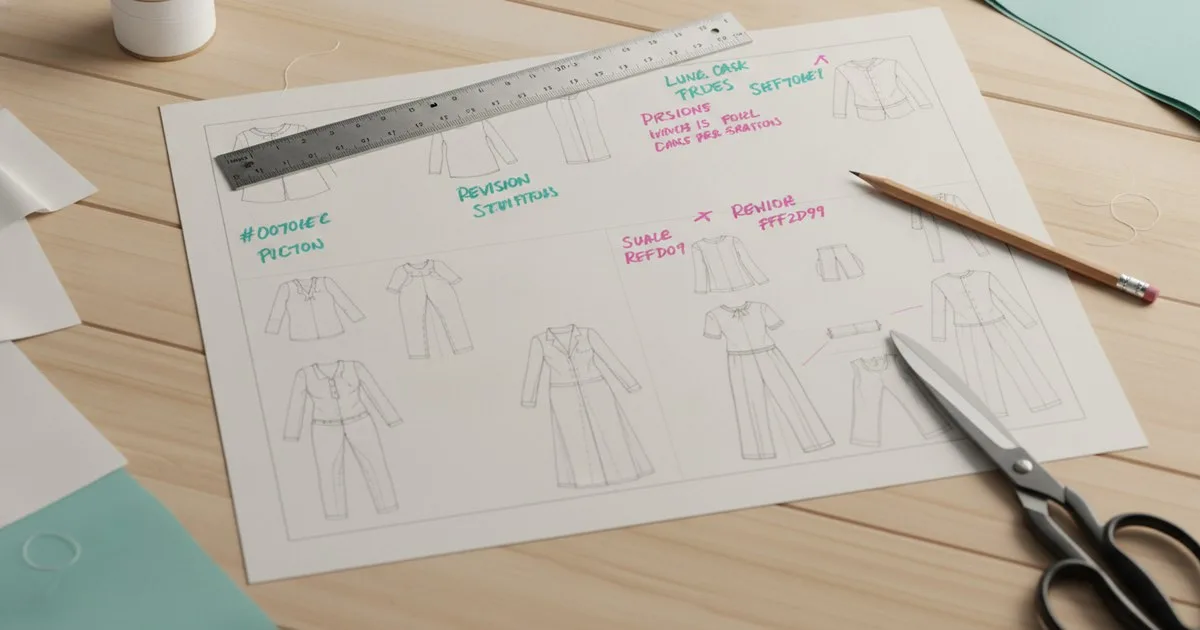
When a spec changes mid-development and the factory doesn't know, you don't find out until the sample arrives wrong. A simple revision-control system — version numbering, a change log, and a clear notification protocol — closes that gap before it costs you a production run. This guide shows you exactly how to build one, whether you're running a small team on spreadsheets or a larger operation moving toward PLM.
Key takeaways
- Every tech pack needs a visible version number and a dated change log on its cover page; without both, factories cannot tell which file is current.
- A version number alone is not enough — the change log must describe what changed, where in the spec, and why, so the factory can act on it without a phone call.
- Factory notification should be a deliberate step in your workflow, not an afterthought; a re-issued spec that arrives silently is almost as dangerous as one that never arrives.
- Locking a version before a sample request and again before bulk order protects you from mid-review edits that corrupt your approval trail.
- The biggest unsolved problem in revision control is cross-team simultaneity: two people editing the same spec at the same time, with no merge logic to reconcile the conflict.
Why does tech pack versioning go wrong so often?
Most revision chaos comes from one of three habits: saving over the previous file, emailing updated PDFs without changing the file name, or making verbal changes that never make it back into the document.
The result is a factory floor where the cutter is working from v1, the trim buyer is quoting v3, and your technical designer thinks v4 is the current spec. Each party is confident they have the right file. None of them are lying. The system just never told them otherwise.
A tech pack is the single source of truth between your design intent and the factory's execution. The moment it exists in more than one state without a clear hierarchy, that source of truth fractures.
What should a version-numbering system look like?
The two-part version number
The most durable format in production use is a two-part number: vMAJOR.MINOR.
- Major version increments when a change affects fit, construction, or material — anything that requires a new sample or a new approval step. v1 → v2.
- Minor version increments for corrections that don't affect the sample: a label placement note, a corrected colorway name, a BOM unit-of-measure fix. v2.0 → v2.1.
This distinction matters because it tells the factory immediately whether they need to stop and wait for a new sample, or whether they can continue and note the correction.
Add a status tag alongside the number:
| Status | Meaning |
|---|---|
| DRAFT | Internal only; do not send to factory |
| ISSUED | Sent to factory for sampling |
| APPROVED | Sample approved; locked for bulk |
| SUPERSEDED | Replaced by a later version; archive only |
Print the version number and status tag in a prominent position on the cover page — top-right corner works well — and repeat them in the footer of every subsequent page. If someone prints page 4 in isolation, they should still be able to tell which version it came from.
Naming your files
Use a consistent file-naming convention that encodes the version:
StyleCode_StyleName_v[MAJOR].[MINOR]_[Status]_YYYYMMDD
Example: AW26-001_TrailJacket_v2.1_ISSUED_20260310
The date in the file name is the issue date, not the last-edit date. Never save over a previous version — archive it in a _SUPERSEDED subfolder. If you can only keep one habit from this guide, make it that one.
How do you build a change log that factories can actually use?
A change log is not a list of file saves. It is a structured record of decisions. Put it on the cover page or as page two of the tech pack, and update it every time the version number changes.
Change log structure
| Version | Date | Changed by | Section affected | Description of change | Reason |
|---|---|---|---|---|---|
| v1.0 | — | T. Reyes | — | Initial issue | — |
| v1.1 | — | T. Reyes | BOM | Updated shell fabric from 150D to 200D ripstop | Supplier substitution approved by design |
| v2.0 | — | P. Singh | Construction | Revised side seam from flat-felled to French seam | Fit comment from proto review |
Three things make a change log useful rather than decorative:
- Section reference. The factory should be able to go straight to the affected page. Name the section ("Graded measurements — chest") rather than writing a vague description.
- Reason. A one-line reason prevents the factory from calling to ask why. It also protects you if the change is disputed later.
- Authorship. Knowing who made the change tells the factory who to contact with questions. Use initials or a name, not just a job title.
When should you lock a version?
Two moments in the development calendar are natural lock points:
Before a sample request. Once you issue a tech pack to the factory for proto or fit sample, lock that version. Any changes that come up during the review period go into a new draft — they do not go back into the issued version. This keeps your approval trail clean. If the sample comes back and you've already edited the spec it was built from, you have no reliable baseline for the review.
Before bulk order. The version that goes to production should be marked APPROVED and should not change. If a late correction is genuinely unavoidable, issue it as a separate engineering change notice (ECN) — a short document that references the approved version and describes only the delta. Never re-issue the full tech pack at a new version number after bulk has started; the factory's cut plan and trim orders are already in motion.
How do you notify the factory when a spec changes?
This is where most revision systems break down. The file is updated, the version number changes, and then someone emails a PDF — sometimes with a subject line that says "updated spec," sometimes with nothing at all.
Build a notification protocol with three elements:
1. A transmittal note
Every time you issue or re-issue a tech pack, attach a one-page transmittal note. It should state:
- Style code and name
- New version number and status
- Date of issue
- A plain-language summary of what changed (copy from the change log)
- Action required from the factory ("Please discard v1.1 and work from this version" or "No action required on current sample; apply to next order")
This is not bureaucracy. It is the difference between a factory that reads the change and a factory that files the email without opening the attachment.
2. A confirmation step
Ask the factory to confirm receipt and that they have archived the previous version. A simple reply email works. If you use a supplier portal or a PLM system, a read-receipt or acknowledgement tick is the equivalent. Without confirmation, you are assuming the change landed — and assumptions are how you end up with a bulk run built from a superseded spec.
3. A version register
Keep a central register — a shared spreadsheet is fine — that records every style, its current version, its status, the date it was issued, and who confirmed receipt. This is your audit trail. If a quality dispute arises six months later, you can show exactly which version was in force when the factory cut.
What tools support revision control in practice?
Your revision system lives inside whatever format your tech pack takes. The principles above apply regardless of tool, but the tool shapes how easy it is to enforce them.
Spreadsheets and PDF exports. The most common setup in small and mid-size teams. Version control is entirely manual — you rely on file-naming discipline and the change log. It works, but it requires consistent habits from everyone on the team. One person saving over the master file undoes the whole system.
Dedicated tech pack platforms. Tools like Techpacker and The F* Word build version history and collaboration features into the workflow itself, reducing the risk of a silent overwrite. The F* Word, for instance, positions its workflow around connecting creative direction, production readiness, and supplier handoff in a single editable environment — which naturally creates an audit trail that a PDF-and-email process doesn't.
PLM systems. At larger scale, a PLM platform manages version control as a core function — every change is logged, every issue is tracked, and the factory-facing portal always serves the current approved version. The tradeoff is implementation time and cost.
Whatever tool you use, the change log and the notification protocol are not features the tool provides for you. They are habits your team builds. The tool can make them easier to maintain; it cannot substitute for them.
What is still unsolved in tech pack revision control?
Honesty requires naming the problems that a good system reduces but doesn't eliminate.
Simultaneous editing. If two people open the same spec at the same time — a common scenario when a technical designer and a product developer are both on a call with the factory — there is no standard merge logic in most tech pack tools. One person's edits overwrite the other's. PLM systems handle this better than spreadsheets, but the problem exists across the industry.
Verbal changes. A factory visit produces decisions. Those decisions are sometimes emailed back as notes, sometimes captured in a sample comment sheet, and sometimes not captured at all. A revision system only works if every agreed change makes it back into the spec before the next version is issued. Building a post-visit checklist — "before we close this trip, what changes to the spec do we owe?" — is the only real mitigation.
Cross-supplier synchronisation. When a trim supplier, a fabric mill, and a CMT factory are all working from the same tech pack, a change to the BOM affects all three. Most teams notify the CMT factory and forget the trim supplier. Your transmittal process needs a distribution list that covers every party who works from the spec, not just the party who sews the garment.
Publications like FashionUnited and Sourcing Journal cover the broader supply-chain transparency push that is driving more brands toward structured documentation — the pressure to show auditors and retail partners a clean approval trail is making revision control a compliance question, not just an operational one.
A practical checklist for your next tech pack issue
Before you send any tech pack to a factory, run through this:
- [ ] Version number updated (major or minor, as appropriate)
- [ ] Status tag updated (DRAFT / ISSUED / APPROVED)
- [ ] Change log updated with section, description, reason, and author
- [ ] File saved under the new versioned file name (not saved over the previous)
- [ ] Previous version moved to
_SUPERSEDEDfolder - [ ] Transmittal note prepared
- [ ] Distribution list confirmed (CMT, trim supplier, fabric mill, QC agent — whoever works from this spec)
- [ ] Confirmation of receipt requested
- [ ] Version register updated
Nine steps. Most of them take under two minutes. The one time you skip them is usually the one time it matters.
FAQ
What is the difference between a major and a minor version in a tech pack? A major version (v1 → v2) marks a change that affects fit, construction, or materials — something that requires a new sample or approval step. A minor version (v2.0 → v2.1) covers corrections that don't affect the sample, such as a label note or a BOM unit fix.
How do I stop a factory from working from an old version of my spec? Combine three things: a visible version number and status tag on every page of the spec, a transmittal note that explicitly says which version supersedes which, and a confirmation step where the factory acknowledges receipt. Without the confirmation step, you cannot know the message landed.
Where should the change log live in a tech pack? On the cover page or as page two — somewhere the factory sees it before they reach the construction details. Burying it at the back means it gets skipped. Every change log entry should name the section affected so the factory can go straight to the relevant page.
Do I need a PLM system to manage tech pack versions properly? No. A consistent file-naming convention, a change log table, and a transmittal protocol work on spreadsheets and PDF exports. PLM systems make version control easier to enforce at scale, but the discipline is the same regardless of tool.
What is an engineering change notice (ECN) and when should I use one? An ECN is a short document — one page — that references an already-approved tech pack version and describes only a specific late correction. Use it when a change is unavoidable after bulk has started, so you don't have to re-issue the full spec and risk confusing the factory's cut plan.
How do I handle changes that come out of a factory visit? Before you leave the factory or close the call, run a quick verbal checklist: what decisions were made today, and which ones require a spec change? Assign each change to a person and a deadline. Issue the updated version — with the change log filled in — before the next production milestone, not weeks later when memory has faded.